Base64 Encoder & Decoder

Encode text or files to Base64 and decode Base64 back to text, with URL-safe and UTF-8 support.

About this tool

Base64 represents binary data using just 64 plain text characters: A-Z, a-z, the digits 0-9, plus two symbols. It exists because some systems only know how to handle text, so anything binary (an image, a file, a cryptographic key) gets translated into that alphabet before it can travel through email attachments, data URIs, HTTP Basic auth headers, or a field inside JSON or XML.

This tool goes both ways. Encode mode turns your text into Base64, handling UTF-8 properly so emoji and non-Latin scripts survive the round trip intact. Decode mode reverses it. It tolerates line breaks, missing padding, and the URL-safe alphabet that swaps in - and _ for the usual + and /, and it'll strip a leading data:...;base64, prefix if one's there.

You can encode a whole file too, which is the quickest way to get a ready-to-use data URI for a small icon or image. One thing worth remembering: Base64 inflates size by about a third, so it suits small assets, not large files. And it's worth saying plainly, Base64 is encoding, not encryption. Anyone can decode it in seconds, so it has no business hiding a password or a secret.

Everything above runs locally. Nothing you paste or upload leaves the browser.
How to use

  1. Paste your text or Base64 string into the input box.
  2. Click Encode to convert text to Base64, or Decode to convert Base64 back to text.
  3. Tick URL-safe if you need the variant that is safe for URLs and filenames.
  4. To convert a file, use Encode a file and pick it from your device. You can copy the Base64 text or the full data URI.
  5. Use Swap to move the output back into the input and continue converting.

Frequently asked questions

It lets binary data be sent through text-only channels. Common uses are data URIs in HTML and CSS, email attachments, JSON Web Tokens and HTTP Basic authentication.

No. Base64 only changes how data is represented. Anyone can decode it instantly, so it provides no confidentiality.

The equals signs are padding that makes the length a multiple of four. Some systems, including the URL-safe variant, omit the padding.

It replaces + with - and / with _ so the result can be used in URLs and filenames without escaping. It is the format used inside JSON Web Tokens.

The decoded bytes may not be UTF-8 text, for example when the Base64 was created from an image or other binary file. Try decoding a file instead, or check that the string is complete.

Files are processed in memory in your browser, so very large files may be slow. Base64 is intended for small files; for large files use normal file transfer.

Related articles

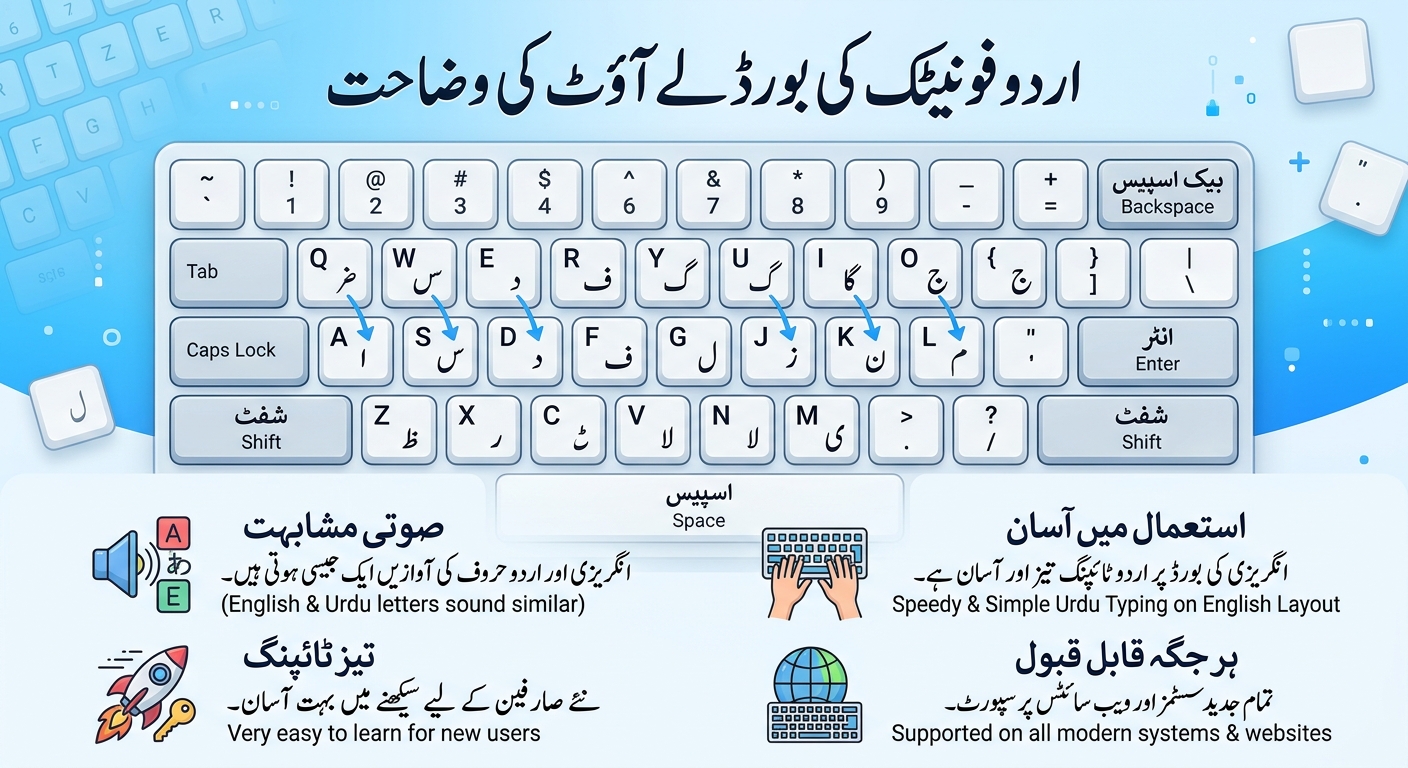
Urdu Phonetic Keyboard Layout Explained
Guides Nov 10, 2026

Urdu Phonetic Keyboard Layout Explained

A complete chart of the Urdu phonetic keyboard layout: every letter, every Shift key, the vowel marks and the punctuation, with practice words you can try yourself.