How to Count Words and Characters Online: A Complete Guide
Whether you are writing an article, preparing a university assignment, creating a social media post, or publishing website content, knowing the length of your text is important. Different platforms and writing tasks have different word and character limits.
A word counter helps you check your content length instantly. Instead of manually counting every word or character, you can use a free online tool to get accurate text statistics in seconds.
In this guide, you will learn how to count words and characters online, understand the difference between character counts, estimate reading time, and check keyword density.
What Is a Word Counter?
A word counter is an online tool that calculates how many words appear in a piece of text. Most word counting tools also provide additional information, including character count, sentence count, paragraph count, and estimated reading time.
Students use word counters to meet assignment requirements. Bloggers and content writers use them to manage article length. Digital marketers use character counters when preparing advertisements, titles, and descriptions.
How to Count Words Online
Counting words manually can be time-consuming, especially when working with long documents. An online word counter makes this process simple.
Follow these steps:
- Open an online word counter.
- Type your text or paste existing content into the text box.
- Check the total word count displayed on the screen.
- Edit your content and watch the count update automatically.
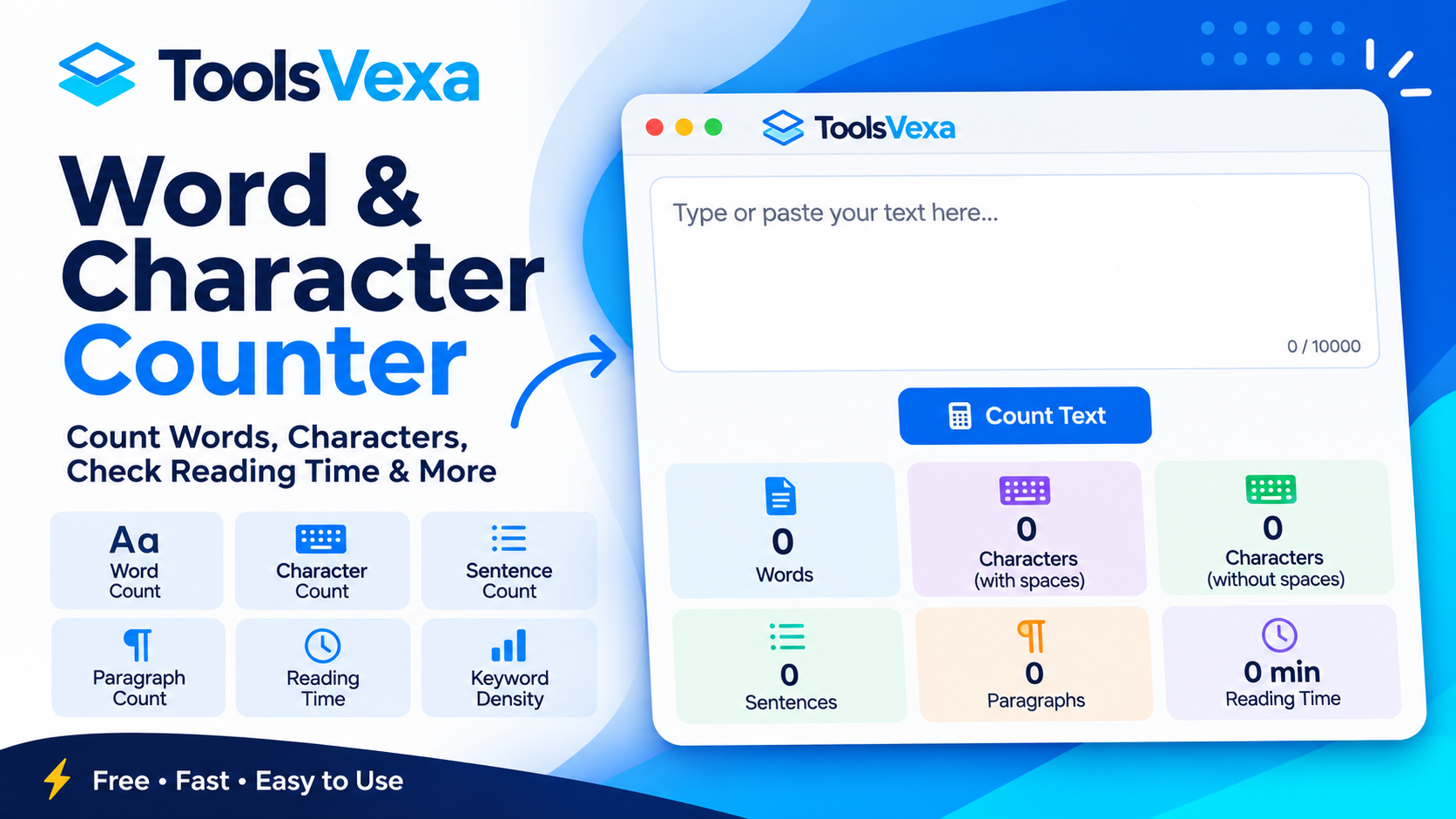
You can use the free ToolsVexa Word and Character Counter to check your text length instantly. It also provides character counts, sentence and paragraph statistics, reading time, speaking time, and keyword density.
How to Count Characters With and Without Spaces
Character counting is useful when you need to follow strict text limits.
There are two common types of character counts:
Characters With Spaces
This count includes every character in your text, including spaces between words, letters, numbers, and punctuation marks.
Characters Without Spaces
This count excludes spaces while counting the remaining characters.
For example, consider the sentence:
"Hello World"
- Words: 2
- Characters with spaces: 11
- Characters without spaces: 10
The difference matters when writing social media captions, SMS messages, website meta descriptions, and advertising headlines.
Why Is Character Counting Important?
Many online platforms limit the length of the text you can publish. A character counter helps you stay within those limits.
Some common uses include:
- Checking SEO title and meta description lengths.
- Preparing social media captions.
- Writing SMS messages.
- Creating online advertisements.
- Meeting academic submission requirements.
- Checking short descriptions and product listings.
Character limits can vary between platforms, so always check the requirements of the service you are using.
How to Check Reading Time
Reading time estimates how long someone may need to read your content.
For example, a text containing 1,000 words may take approximately five minutes to read at an average speed of 200 words per minute.
Reading time is particularly useful for bloggers, journalists, students, and website owners who want to give readers an idea of how long an article will take.
Actual reading time depends on the reader's speed, language, and content complexity.
What Is Keyword Density?
Keyword density measures how frequently a particular word or keyword appears in a piece of content compared with its total word count.
For example, if a word appears 10 times in a 1,000-word article, its keyword density is approximately 1%.
Writers can use keyword density analysis to identify frequently repeated terms and review their content.
However, keyword density is not a guaranteed Google ranking formula. Focus on useful information, natural language, and content that answers readers' questions rather than repeating keywords unnecessarily.
Who Needs a Word and Character Counter?
An online word and character counter can be useful for many people:
- Students: Check assignment, essay, and research paper word limits.
- Bloggers: Review article length before publishing.
- Content Writers: Manage words and characters while preparing content.
- SEO Professionals: Check title and meta description lengths.
- Social Media Managers: Prepare captions within platform limits.
- Website Owners: Review descriptions, headings, and website content.
Frequently Used Text Counting Features
A useful text counter can provide more than just a word total. Depending on the tool, you may also find:
- Word count
- Character count with spaces
- Character count without spaces
- Sentence count
- Paragraph count
- Estimated reading time
- Estimated speaking time
- Keyword frequency and density
These statistics make it easier to review and improve written content.
Conclusion
Counting words and characters is an important part of writing, editing, and publishing online content. Whether you are preparing an assignment, writing a blog post, or creating a social media caption, an online counter can save time and help you meet text limits.
Try the free ToolsVexa Word and Character Counter to count words, characters, sentences, and paragraphs, estimate reading time, and review keyword density directly in your browser.