How to Compress Images Online Without Losing Quality
Images make websites, blogs, online stores, and social media posts more attractive. However, large image files can take longer to upload, share, and load on websites. This can increase page size and create a slower experience for visitors.
Image compression helps reduce file size while maintaining as much visual quality as possible. In this guide, you will learn what image compression is, why it matters, which image formats are commonly used, and how to compress images online using a simple tool.
What Is Image Compression?
Image compression is the process of reducing the file size of an image. Depending on the compression method, unnecessary or less important image data can be reduced to create a smaller file.
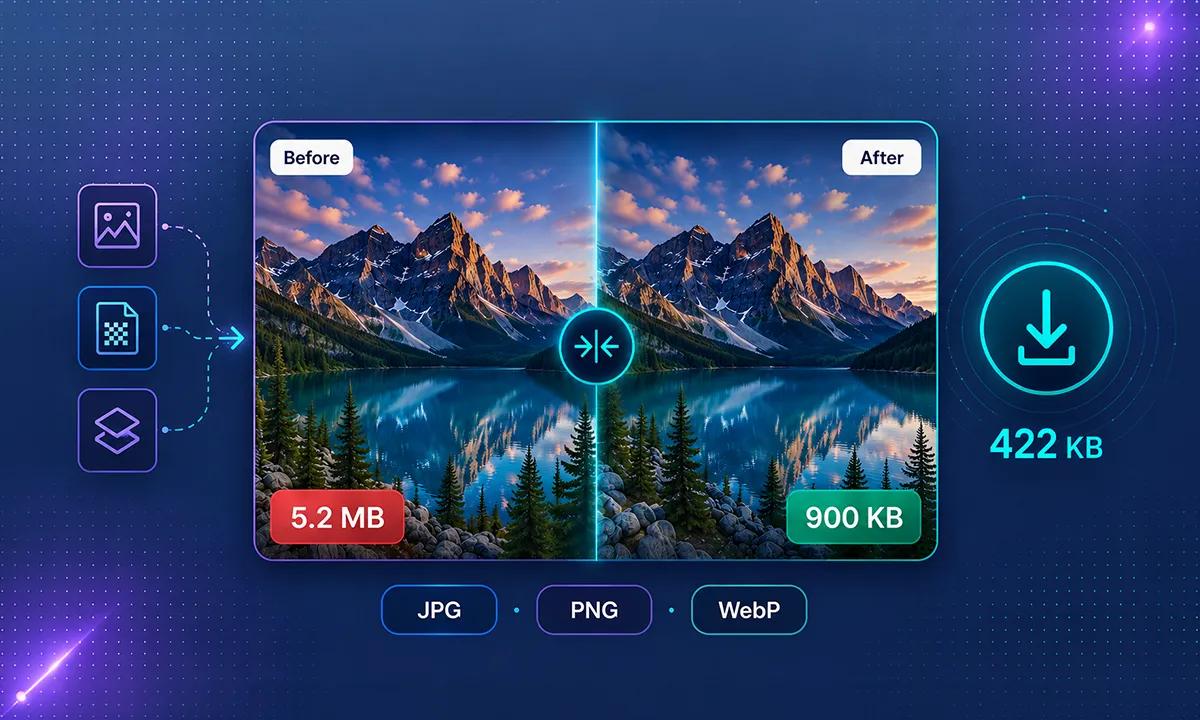
For example, a photograph that takes up 5 MB of storage may be reduced to a much smaller file after compression. The final file size depends on the original image, its format, dimensions, and compression settings.
The goal of image compression is to make images easier to store, upload, share, and display while maintaining acceptable visual quality.
Why Should You Compress Images?
Compressing images can provide several benefits for websites and everyday file sharing.
1. Faster Website Loading
Large images can increase the amount of data a webpage needs to load. Smaller image files require less data to download, which can help improve page loading performance.
2. Better User Experience
Visitors generally prefer websites that load quickly and work smoothly. Optimized images can help reduce unnecessary page weight, especially for users browsing on mobile connections.
3. Save Storage Space
Compressed images use less storage space on your computer, phone, cloud storage, or website server.
4. Easier File Sharing
Smaller image files are easier to upload, attach to emails, and share through messaging applications and other online services.
5. Better Website Optimization
Image optimization is an important part of website performance. Properly sized and compressed images can help reduce unnecessary page weight and improve the overall browsing experience.
Common Image Formats: JPG, PNG, and WebP
Different image formats are designed for different purposes. Choosing the right format can help you balance image quality, file size, and compatibility.
JPG or JPEG
JPG is commonly used for photographs and images with many colors. It usually uses lossy compression, which can significantly reduce file size by removing some image information.
JPG is often a good choice for photographs, blog images, product photos, and social media graphics where transparency is not required.
PNG
PNG is useful for graphics, logos, screenshots, illustrations, and images that require transparency. It can preserve image details well, but PNG files can sometimes be larger than JPG files.
WebP
WebP is a modern image format designed for efficient web images. It supports both lossy and lossless compression and can provide smaller files while maintaining good visual quality.
The best format depends on the type of image and how you plan to use it.
How to Compress Images Online
You do not necessarily need professional photo-editing software to reduce image size. An online image compressor can make the process quick and simple.
Try the free ToolsVexa Image Compressor.
Follow these steps:
- Open the ToolsVexa Image Compressor.
- Select and upload the image you want to compress.
- Choose the output format available in the tool.
- Adjust the image quality if the option is available.
- Set a maximum image width if you also want to resize the image.
- Click the Compress button to process the image.
- Review the compressed result and compare it with the original.
- Download the optimized image.
Always check the compressed image before using it in an important project to make sure the quality meets your requirements.
How to Reduce Image Size Without Noticeable Quality Loss
It is possible to reduce image file size while keeping an image visually clear. The following tips can help:
- Start with a high-quality original image.
- Choose an appropriate image format.
- Avoid unnecessarily large image dimensions.
- Use balanced compression settings.
- Compare the original and compressed versions.
- Resize images when their dimensions are larger than necessary.
- Keep a backup of important original images.
Remember that lossy compression removes some image information. Very aggressive compression may create blur, visible artifacts, or reduced detail.
Lossy vs Lossless Image Compression
There are two common approaches to image compression: lossy and lossless compression.
Lossy Compression
Lossy compression reduces file size by removing some image information. It can produce significantly smaller files, but excessive compression may reduce image quality.
JPG is a common example of an image format that uses lossy compression.
Lossless Compression
Lossless compression reduces file size without permanently removing the original image information. The image data can be reconstructed without the permanent quality loss associated with lossy compression.
PNG is commonly used when preserving image details and transparency is important.
The best choice depends on whether your priority is achieving a smaller file size or preserving as much original image information as possible.
Image Compression for Websites
If you manage a website or blog, image optimization should be part of your publishing process.
Before uploading images:
- Resize images according to the space where they will appear.
- Compress large image files.
- Use suitable formats such as WebP when appropriate.
- Avoid uploading unnecessarily large images.
- Use descriptive image filenames and useful alt text.
- Check image appearance on both desktop and mobile devices.
These practices can help reduce page size and provide a better browsing experience for visitors.
Image Compression for Blogs and Online Stores
Blog posts and online stores often contain multiple images. Product photos, featured images, thumbnails, and banners can quickly increase the total size of a webpage.
Compressing these images before uploading them can help reduce unnecessary file size. For product images, make sure the final image still contains enough detail for customers to clearly see the product.
For blog images, choose dimensions that match the size at which the image will actually be displayed instead of uploading an unnecessarily large original.
Frequently Asked Questions
Does compressing an image reduce its quality?
It can. Lossy compression may reduce image quality, while lossless compression is designed to preserve the original image information. The amount of visible quality change depends on the compression settings and the original image.
Can I compress images online for free?
Yes. You can use free online image compression tools such as the ToolsVexa Image Compressor to reduce image file sizes without installing separate image-editing software.
Which image format is best for compression?
JPG is commonly suitable for photographs, PNG is useful for graphics and transparency, and WebP can be useful for modern web image optimization. The best format depends on your specific requirements.
Is image compression good for SEO?
Image compression can help reduce page weight and improve loading performance. Faster, well-optimized pages can contribute to a better user experience, which is an important part of overall website quality.
Can I compress images without installing software?
Yes. Online image compressors allow you to process supported images directly through a web browser without installing separate desktop software.
What is the difference between resizing and compressing an image?
Resizing changes an image's width and height, while compression reduces its file size. Using both techniques together can be an effective way to optimize images.
Can I compress JPG and PNG images?
Yes. JPG and PNG are widely used image formats and can be compressed using suitable image compression tools. Supported formats and options may vary between different tools.
Why should I compress images before uploading them to a website?
Compressing images before uploading can reduce page size, save storage space, use less bandwidth, and help improve website loading performance.
Does image compression reduce file size?
Yes. The purpose of image compression is to reduce the amount of data stored in an image file. The amount of reduction depends on the original image, format, dimensions, and compression settings.
How can I reduce image size without losing quality?
Use balanced compression settings, choose a suitable image format, and avoid unnecessarily large dimensions. If preserving the original image information is important, consider using a lossless format and compression method.
Related Tools and Guides
If you work with other types of online files and content, you can also explore these free ToolsVexa tools:
Final Thoughts
Image compression is a useful way to reduce file sizes, save storage space, share images more easily, and optimize website performance.
The right compression method depends on your image format, intended use, image dimensions, and quality requirements. Avoid excessive compression when image details are important.
If you want a simple way to reduce image file sizes, try the free ToolsVexa Image Compressor.
Optimize your images before using them across websites, blogs, online stores, social media, and other digital projects.